
Daily timers
Count total use, then warn or lock you out at a threshold. Helpful for a hard budget; easy to extend or disable when the app still matters.
A practical Android guide
The useful goal is not perfect discipline. It is noticing the exact moment a deliberate check becomes another automatic scroll—and putting a small choice there.
Start here
Doomscrolling is rarely one decision to spend an hour. It is a chain of tiny, low-friction decisions. Break the chain at more than one point.
Do not start by restricting every app. Pick the places where a quick check most often becomes an unplanned session—perhaps Instagram after lunch or YouTube before bed.
Disable non-essential notifications, remove badges, and move the app away from your first home screen. This reduces reflexive opens without making useful parts of the app unavailable.
Android's daily timers arrive late: after the time is already spent. A mid-session reminder makes the active loop visible while you can still choose to leave it.
Keep a book, saved article, short breathing exercise, or another bounded activity close. ScrollPause uses Discover and Stillness to make that alternative available from the pause itself.
Look for times and apps where sessions repeat. Adjust the intervention, rather than treating one bad day as proof that the whole system failed.
Why timers are not enough
Android Digital Wellbeing is useful for budgets and scheduled focus. It is less useful when you still need an app and simply want to notice when the session stops being intentional.
Count total use, then warn or lock you out at a threshold. Helpful for a hard budget; easy to extend or disable when the app still matters.
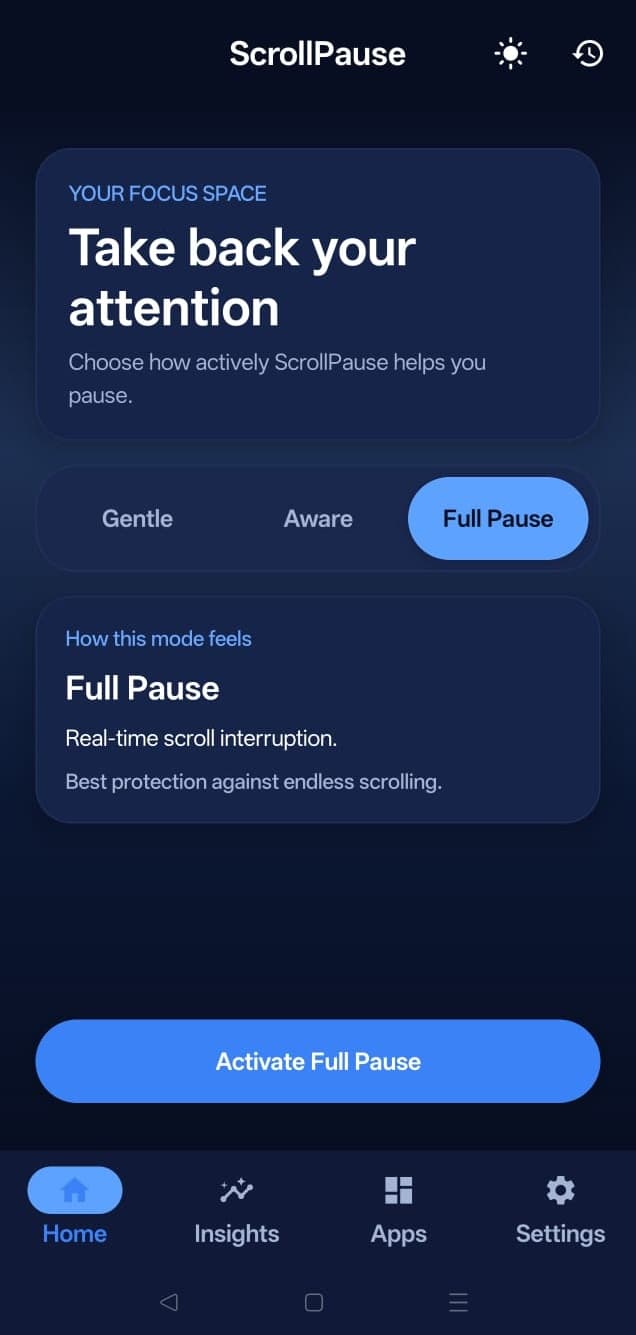
Interrupts while the loop is happening, asks for no punishment, and lets you continue when that is genuinely what you want.
If strict lockouts make you rebel or uninstall the tool, read the app blocker alternative guide.
How ScrollPause fits
Timed pause nudges on the cadence you set. No app-session monitoring.
Uses Android Usage Access to respond after a selected app has been open for a while.
Uses optional Accessibility permission to detect scroll events and interrupt long scrolling patterns.
A realistic setup
Do not optimize every setting on day one. Start with a small system you can actually observe.
Instagram is your main loop? Use the more specific Android Instagram scrolling guide.
Questions
Start with the one or two apps where you most often lose track of time. Turn off non-essential notifications, move those apps off your first home screen, and add a pause or reminder during the session—not only after a daily limit is reached.
No. ScrollPause interrupts automatic scrolling with a notification or pause moment, then leaves the decision with you. It does not remove feeds, lock apps, or prevent you from continuing.
Yes. Gentle mode uses timed reminders, and Aware mode uses Android Usage Access. Accessibility permission is optional and only needed for Full Pause’s real-time scroll detection. Read the permission explainer.
The built-in app groups include Instagram, Threads, Facebook, YouTube, YouTube Music, X, TikTok, LinkedIn, Reddit, and browsers. You choose which groups are active.
A pause can make automatic sessions easier to notice, but no app can guarantee a specific behavioral outcome. ScrollPause is designed to create a decision point; what you do after it remains your choice.
Free for Android
Free on Android. No account, ads, subscription, or hard lockouts. Set it once and let it work quietly in the background.