ScrollPause

An Android app blocker alternative

Add a pause, not another fight with your phone.

If strict timers and lockouts only make you disable the tool, try a smaller kind of friction. ScrollPause interrupts the automatic session and gives the choice back immediately.

  • No hard lockouts
  • Three adjustable modes
  • Free on Android
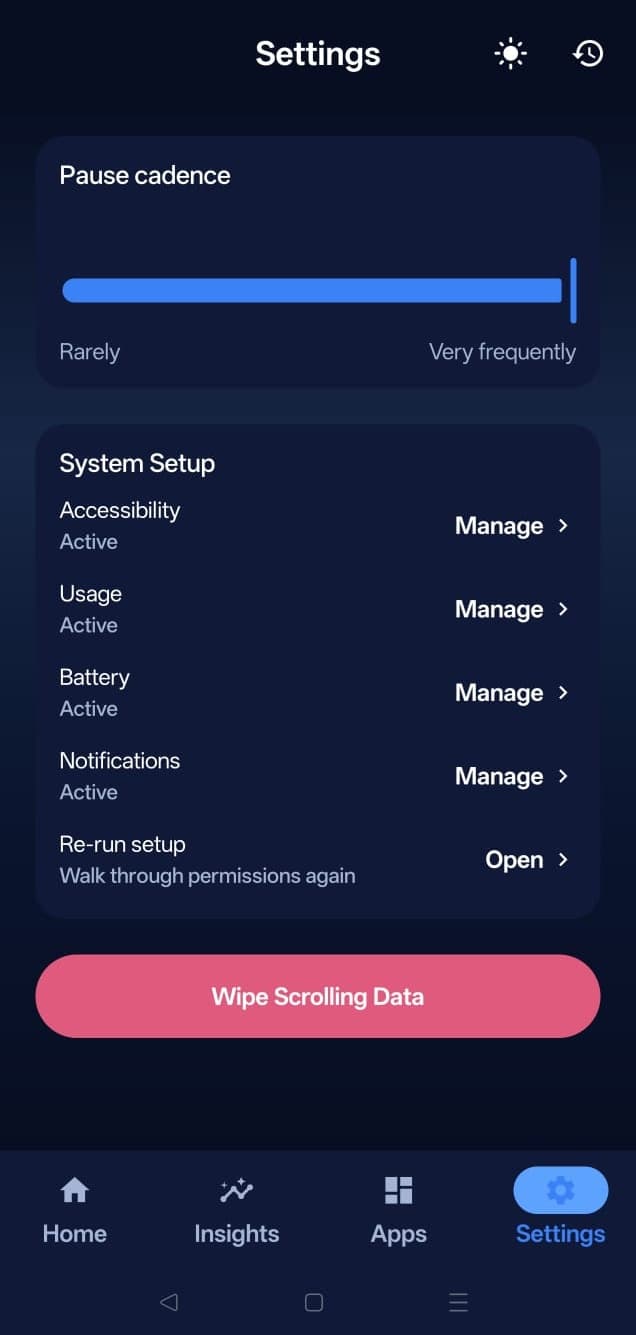
ScrollPause Android settings for adjustable pause modes

The honest comparison

Blockers and pauses solve different problems.

A strict blocker is not bad design. It is the right tool when your boundary is “this app must be unavailable.” It becomes the wrong tool when access still matters and the real problem is losing awareness after you open it.

Choose a hard blocker when…

  • You need guaranteed app-free work or study time.
  • You want a non-negotiable bedtime or family boundary.
  • Removing access is more important than keeping DMs, maps, or useful content available.
  • You are comfortable with strict mode, PIN, delay, or accountability controls.

Choose a pause when…

  • You still need useful parts of the app.
  • The problem begins after an intentional open.
  • Harsh restrictions trigger workarounds or uninstalling.
  • You want to practice noticing the loop, not outsource every decision.

How the approaches differ

Restriction controls access. Interruption restores context.

What happens

Blocker: The selected app becomes unavailable.

ScrollPause: A nudge appears; you can continue.

Best moment

Blocker: Before opening or at a fixed limit.

ScrollPause: During an active session or scroll pattern.

User control

Blocker: Intentionally reduced for a set period.

ScrollPause: Returned immediately after the interruption.

Failure mode

Blocker: Override, snooze, disable, or uninstall.

ScrollPause: Ignore the reminder and keep scrolling.

Best goal

Blocker: Enforced abstinence or protected time.

ScrollPause: Awareness and deliberate continuation.

ScrollPause cannot guarantee that you stop. That is deliberate, but it is also a real limitation. If you need enforcement, use an app blocker. If you need a visible decision point, use a pause.

Not one-size-fits-all

Increase the interruption without turning it into punishment.

ScrollPause has three modes because a single level of friction rarely remains useful every day.

Lightest

Gentle

A timed reminder on your cadence. Useful when you want a general break cue with minimal permissions.

Contextual

Aware

A reminder after a selected app has been open for a while, powered by Android Usage Access.

Strongest

Full Pause

Real-time scroll-event detection through optional Accessibility permission. Still a pause, never a lockout.

Fit check

ScrollPause is probably for you if these statements feel familiar.

  • “I open the app for a real reason, then forget why I am still there.”
  • “I keep extending daily limits because I still need messages or useful content.”
  • “I do not want a productivity tool using shame, streak anxiety, or a subscription.”
  • “I want my scrolling history and insights to remain on my phone.”
  • “I would rather choose to stop than be forced to prove I deserve access.”

Read more about the product philosophy on Why ScrollPause, or see the full Android doomscrolling guide.

Questions

Before you replace a blocker with a pause.

Is ScrollPause an app blocker?

No. ScrollPause sends a pause during a timed, long, or scroll-heavy session. It does not lock an app, remove a feed, or stop you from continuing.

Who should use a hard app blocker instead?

Use a blocker when access itself must be unavailable—for example during an exam, a protected work session, or a strict bedtime boundary. ScrollPause is for people who still need access but want automatic use to become visible.

Can I make ScrollPause stricter?

Full Pause is the strongest mode because it reacts to real-time scroll events, but it is still an interruption rather than an enforced lockout.

Can I change modes later?

Yes. Gentle, Aware, and Full Pause can be changed whenever you want. The app is designed for the level of intervention to change with your week.

Does ScrollPause have subscriptions or paid tiers?

No. ScrollPause is free, with no subscription, in-app purchase, account, or advertising.

Free for Android

Try the smallest interruption that changes the moment.

Free on Android. No account, ads, subscription, or hard lockouts. Set it once and let it work quietly in the background.

Get it on Google Play