
Reflexive opening
A notification, home-screen icon, or moment of boredom sends you into Instagram before you choose it.
Instagram on Android
You may still need DMs, posts, or a creator you follow. ScrollPause helps you notice when that intentional visit turns into an automatic session—without deleting or locking the app.
First, diagnose the loop
The right intervention depends on where the session goes wrong. A tool built for one problem can feel useless—or excessive—when you actually have another.
A notification, home-screen icon, or moment of boredom sends you into Instagram before you choose it.
You opened Instagram for a reason, finished that task, and kept scrolling because no clear stopping point appeared.
Reels or Explore is the only problem. You want that surface gone while the rest of Instagram remains.
Choose the matching tool
ScrollPause is strongest for session overrun. It does not pretend to remove Instagram’s feed or make Reels inaccessible.
Turn off notifications
Best when: Instagram opens before you intend to use it.
Trade-off: Does not help once you deliberately open the app.
Android app timer
Best when: You want a firm daily time budget.
Trade-off: The warning often arrives after the session has already run long.
Reels or feed blocker
Best when: You want a specific feed removed.
Trade-off: A stronger restriction; may require broader Accessibility control.
ScrollPause
Best when: You want a mid-session interruption without losing access.
Trade-off: It creates a choice, not an enforced stop.
Recommended Android setup
What the interruption does
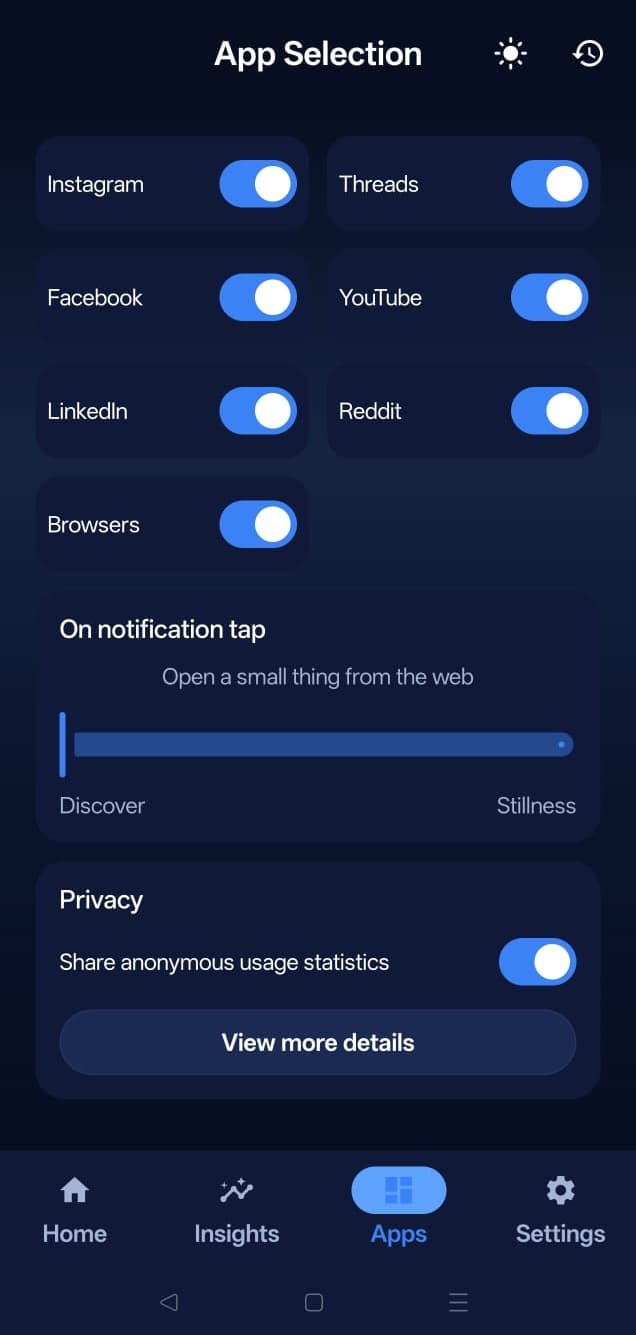
A pause notification can open a short Discover item or guided breath. Close it and Instagram remains available. ScrollPause does not sign you out, delete content, or block DMs.
Full Pause counts scroll signals. It does not read captions, images, messages, usernames, passwords, or anything you type. Personal history and insights remain on your device.
Want the wider system rather than an Instagram-only setup? Read how to stop doomscrolling across Android.
Questions
No. ScrollPause is not a Reels or feed blocker. It detects time in Instagram or scrolling patterns, sends a calm interruption, and lets you decide whether to continue.
Yes. ScrollPause does not remove or lock any part of Instagram. Messages, posts, Stories, and Reels remain available; the intervention is a reminder rather than a restriction.
Yes. ScrollPause’s Instagram app group includes the standard Android Instagram package and Instagram Lite.
No. Full Pause listens for Android scroll events, not the text, images, messages, or account shown on screen. It does not capture typed content or upload screen activity. See the complete permission explanation.
No. Gentle mode can send timed nudges and Aware mode can respond to a longer Instagram session. Full Pause is optional when you want scroll-level detection.
Free for Android
Free on Android. No account, ads, subscription, or hard lockouts. Set it once and let it work quietly in the background.